
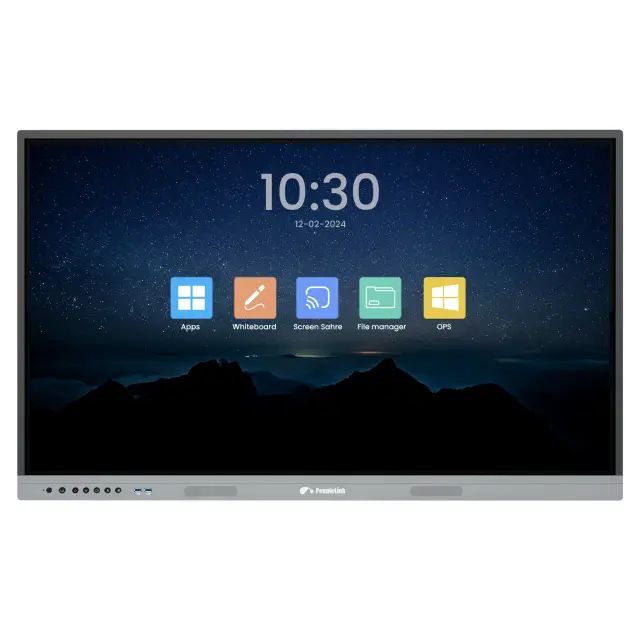


Designed for proactive participation, they are perfect for meeting rooms, huddle spaces, auditoriums, and classrooms. The immersive display enhances interaction, making every session productive and inclusive.


Whether it’s a corporate discussion or an educational session, this versatile solution transforms any space into a hub of creativity and efficiency.
With up to 20 touch points, multiple users can interact simultaneously, making group activities and discussions highly efficient. Whether using a stylus or fingertips, the touch technology mimics the smooth, natural feel of writing on paper, ensuring precision and ease.


PeopleLink Interactive display is easy to use; you can simplify your classes and team collaborations. This solution is characterized by innovative features such as a thin, lightweight design, compatibility with the Windows system, and integrated Android OS support, which offers easy interaction.
With multi-touch functionality, several users can write, draw, or interact on the screen simultaneously, fostering teamwork and creativity. In educational settings, students can solve problems together or brainstorm ideas. In offices, teams can map out strategies or edit presentations collaboratively.


Teachers can show a presentation on one side while taking notes or explaining concepts on the other. Similarly, professionals can compare data, run simultaneous apps, or brainstorm ideas without switching between windows.
This means teachers can instantly display lesson materials, and team members can present ideas or updates directly from their phones, tablets, or laptops. The result? Faster setup, reduced downtime, and seamless sharing of content during meetings or classes.


Whether you’re a teacher setting up lesson plans or a business professional organizing meetings, the ability to personalize layouts, tools, and themes makes your workflow more efficient. Choose features that matter most to you, adjust the interface to suit your tasks, and create a visually appealing environment for better engagement.
It’s ideal for classrooms where teachers can share lessons instantly or for meetings where team members can showcase ideas without delays. Screen mirroring promotes real-time collaboration, eliminates the need for cables, and creates a smooth, efficient workflow—perfect for professionals and educators looking to enhance productivity.


Teachers can quickly switch between teaching tools, while professionals can seamlessly present, share, or collaborate across multiple platforms. This feature ensures smooth workflows, supports diverse needs, and eliminates interruptions, making it an essential choice for buyers who value versatility and efficiency.
This feature is perfect for virtual meetings, hybrid smart classrooms, or training sessions, where clear communication is key. Buyers can rely on this advanced technology to create an immersive, professional, and productive collaboration experience, making it a must-have for modern educational and corporate settings.
